Getting API Keys
To interact with Two's APIs, you need to authenticate your requests using API keys. This guide explains how to generate and manage these keys for both Sandbox (testing) and Production (live) environments.
Environments
Two provides two distinct environments for API integration:
| Environment | Base API URL | Status | Purpose |
|---|---|---|---|
| Sandbox | https://api.sandbox.two.inc | Checking... | Testing (isolated, no real funds) |
| Production | https://api.two.inc | Checking... | Live Transactions |
Both Sandbox and Production API keys are managed from the same Merchant Portal at portal.two.inc/merchant/integration. You must generate separate API keys for each environment.
Step 1: Sign Up
If you are just starting, begin with the Sandbox environment.
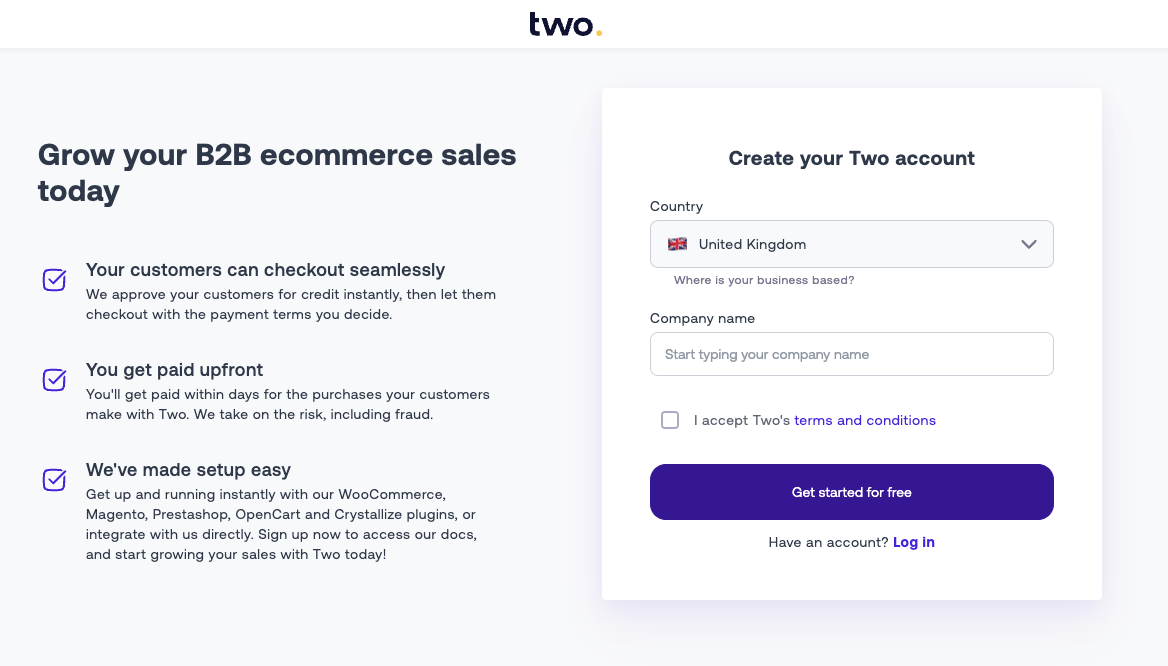
- Go to the Merchant Portal Signup.
- Create an account for your business.
Step 2: Access Integration Settings
Once logged in:
- Click on Settings in the bottom left corner.
- Navigate to the Integration tab.
Here you can manage keys for both environments.
Sandbox Keys
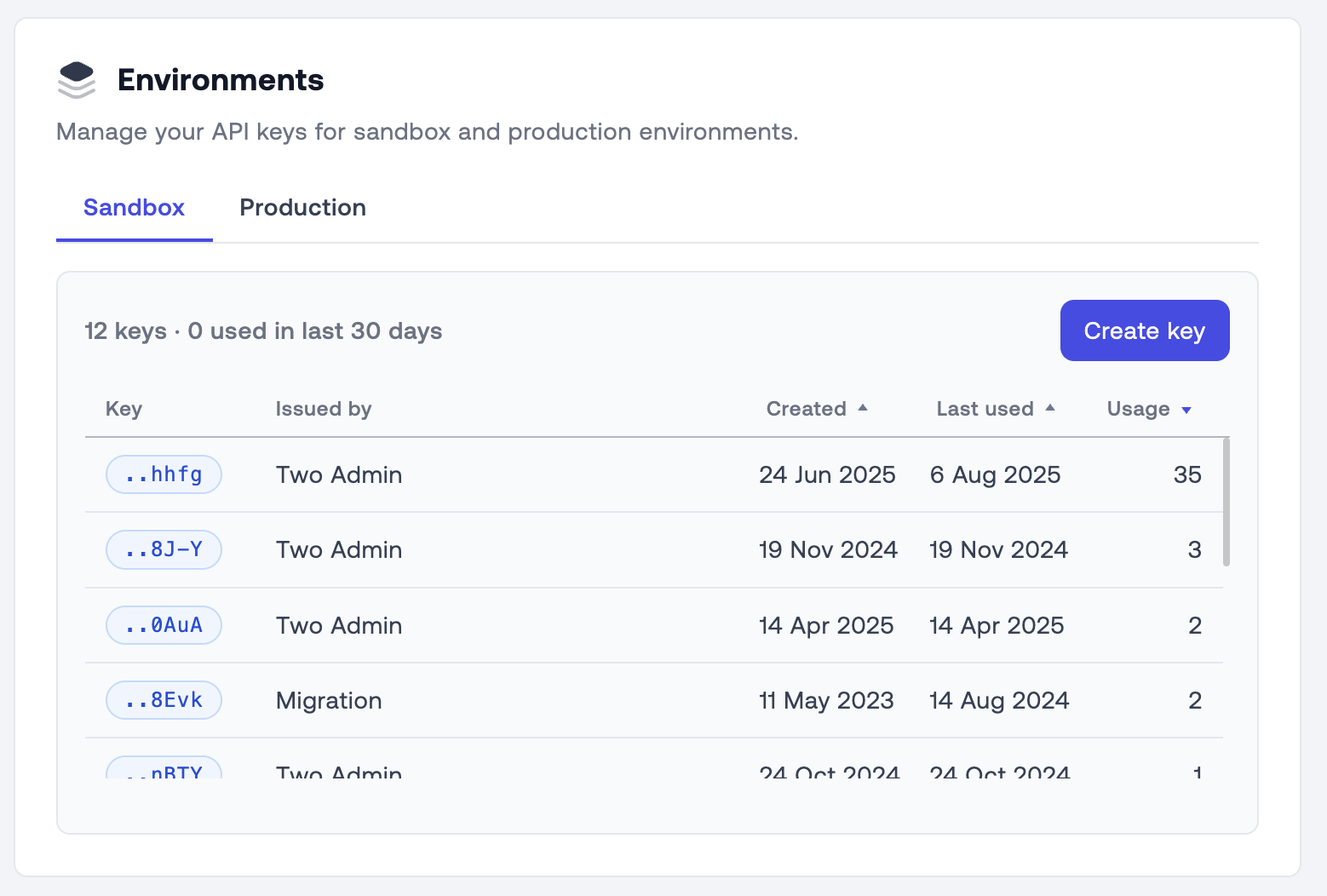
By default, you land on the Sandbox tab. Use these keys for development and testing.
Production Keys
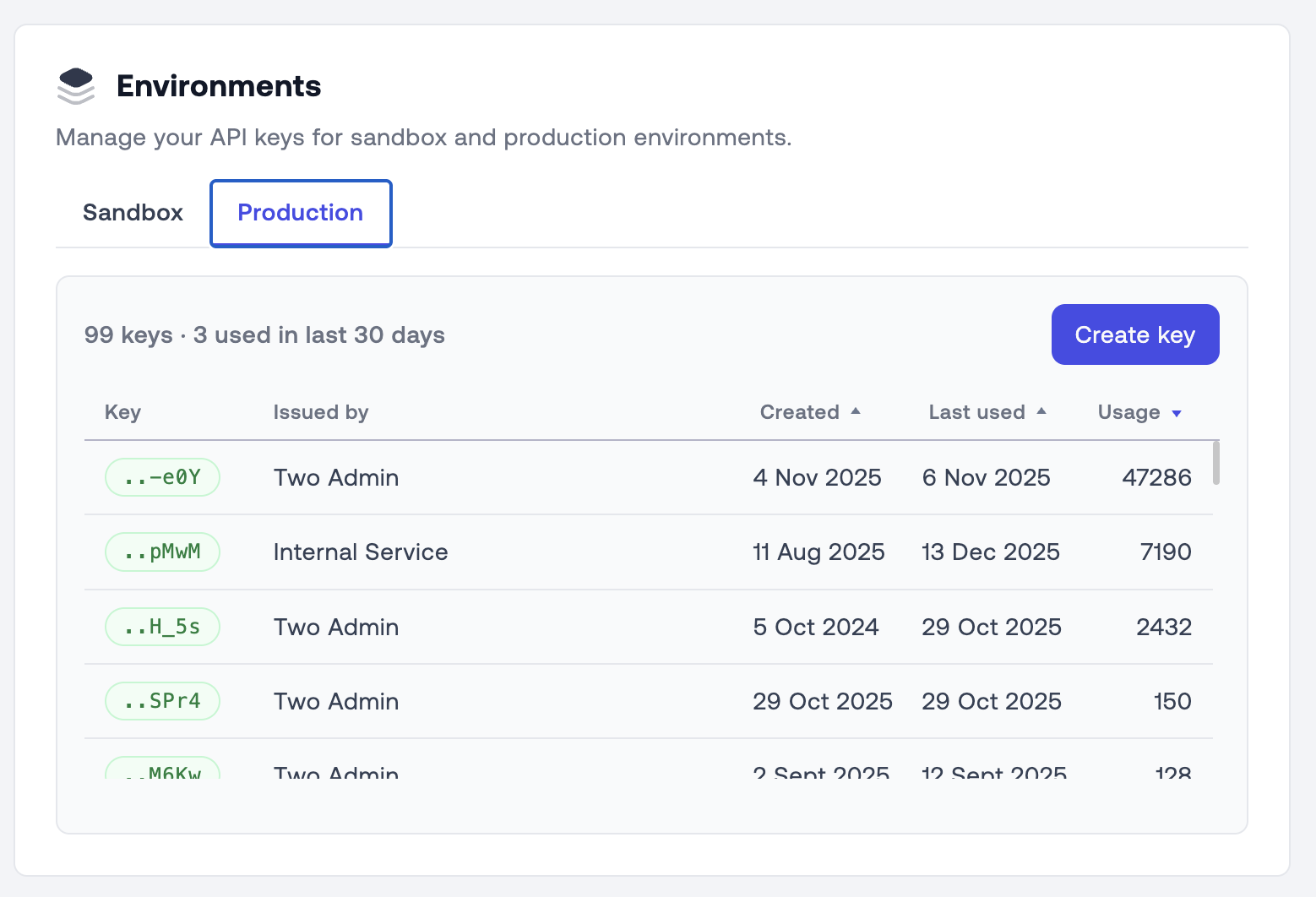
Click the Production tab to manage live keys.
If your account is not yet approved for production, you may see a message indicating that key management is disabled.
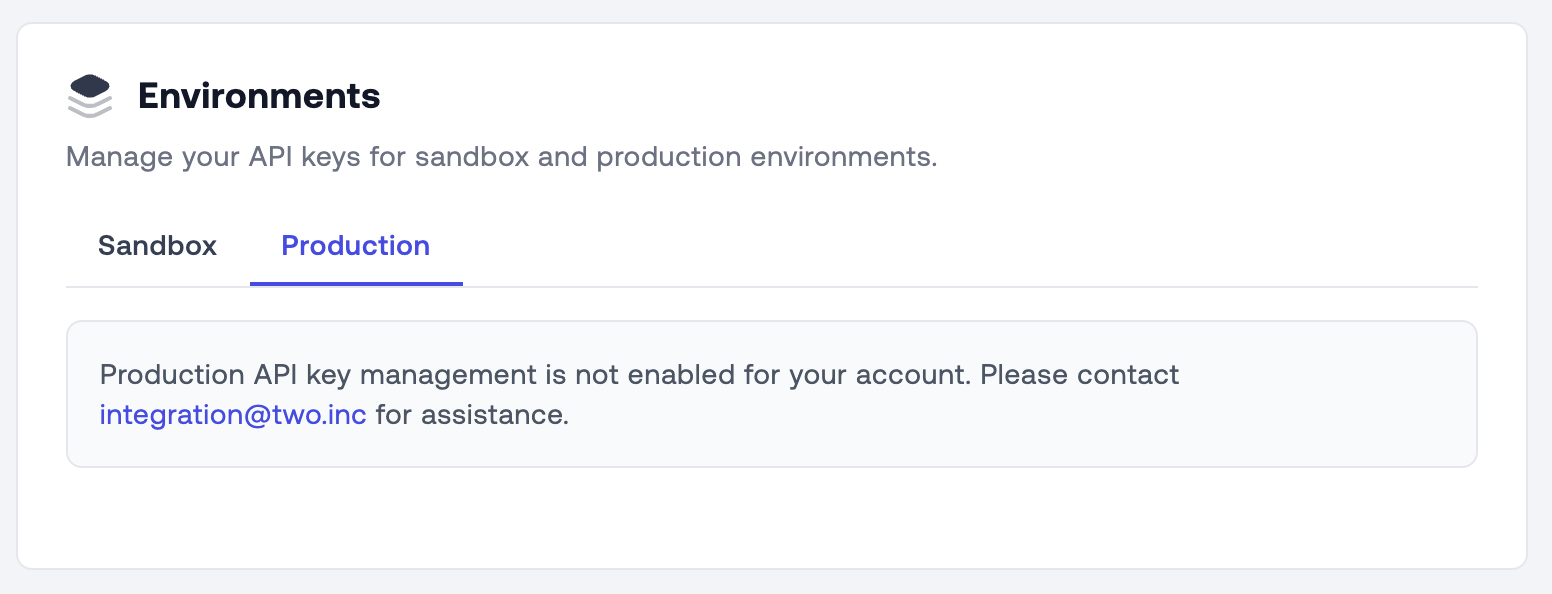
Please contact [email protected] to request access.
Step 3: Generate a New Key
- Ensure you are on the correct tab (Sandbox or Production).
- Click the Create key button.
- Enter a name for your key (e.g., "Development") and confirm.
- The system will generate a new key for you, displayed in a pop-up.

Copy your API key immediately and store it securely. For security reasons, the full key is only displayed once. If you lose it, you will need to revoke it and generate a new one.
Security Best Practices
- Server-Side Only: Never expose your API keys in client-side code (browsers, mobile apps). Use them only from your secure backend server.
- Access Control:
- Admins: Can create Production and Sandbox keys.
- Developers: Can create Sandbox keys.
- Rotation: If a key is compromised or a team member leaves, revoke the key immediately in the portal and generate a replacement.