
OpenCart Plugin
Integrate Two's B2B payment solution into your OpenCart store, allowing business customers to pay on invoice with flexible payment terms.
Prerequisites
Before you begin, ensure you have:
- OpenCart 3.x or 4.x installed
- Admin access to your OpenCart store
- Your Two API credentials
Get Your API Keys
- Sign up at portal.two.inc
- You'll receive an email with your test API keys
- Once ready for production, you'll receive your live API keys
Installation
Choose one of the following installation methods:
Option 1: Automatic Installation via Admin Panel
- Download the Two OpenCart Plugin ZIP file
- Log in to your OpenCart admin panel
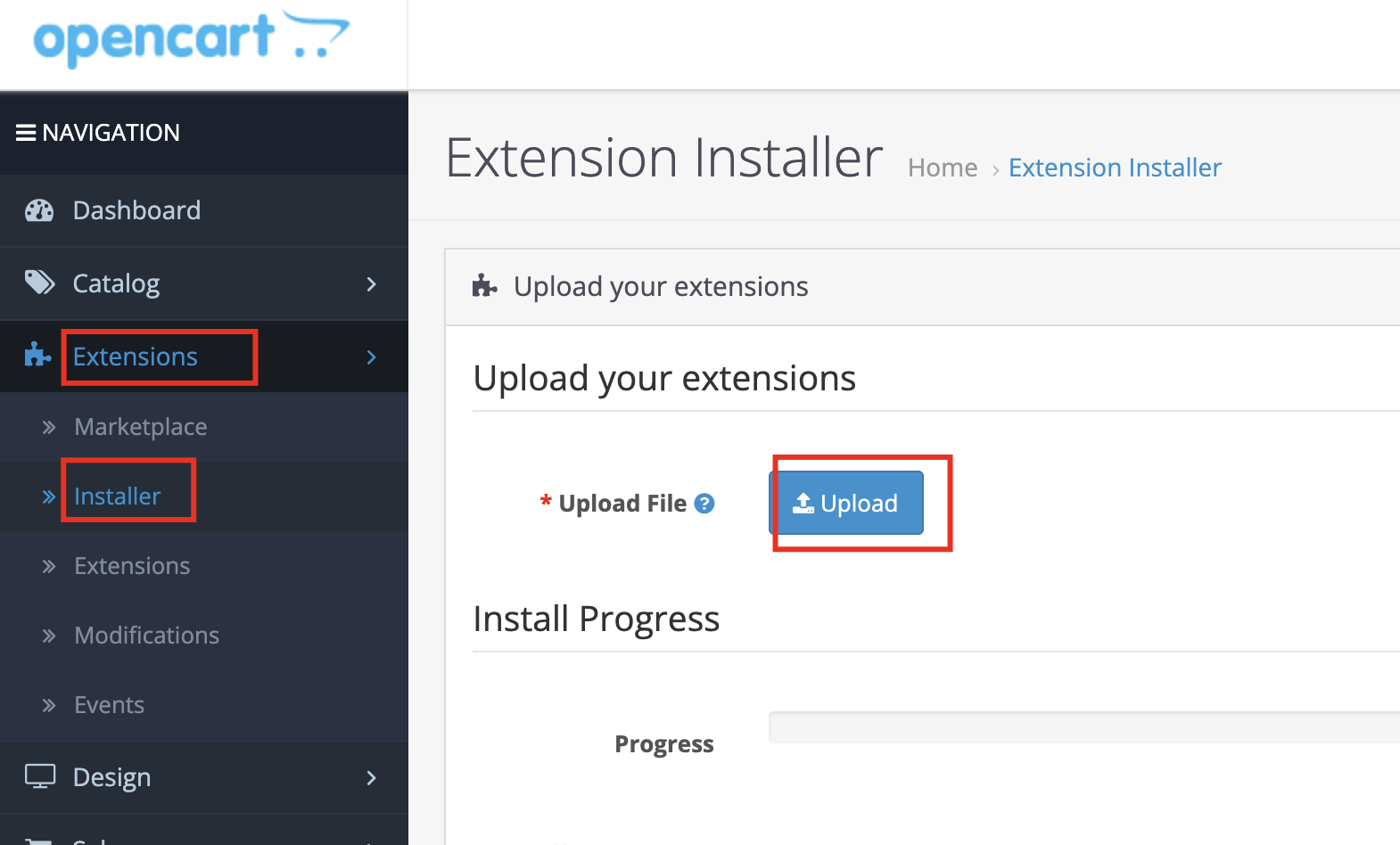
- Navigate to Extensions → Installer
- Click Upload and select the downloaded ZIP file
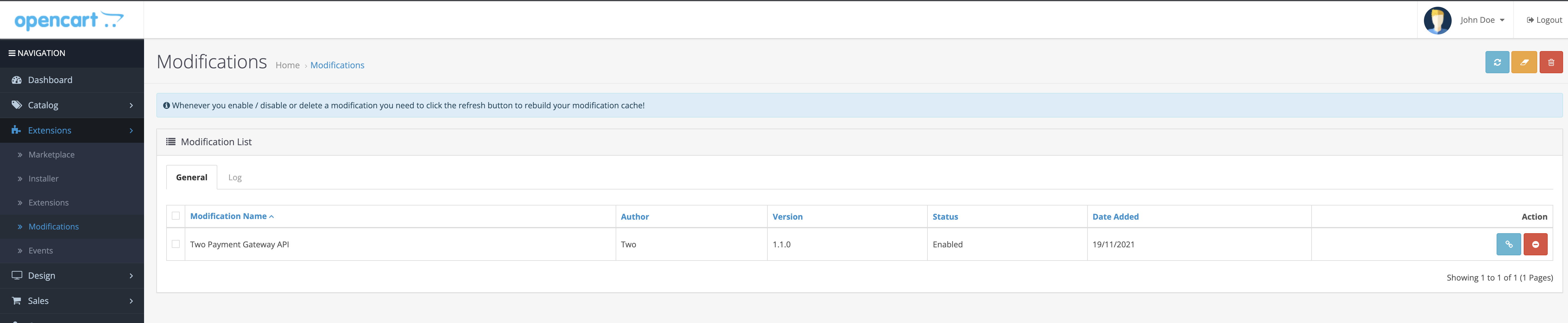
- Go to Extensions → Modifications and click the Refresh button
- Navigate to Extensions → Extensions
- Select Payments from the extension type dropdown
- Find Two Extension and click Install
Option 2: Installation via Marketplace
- Log in to your OpenCart admin panel
- Navigate to Extensions → Marketplace
- Search for Two
- Click on the module, then select the Download tab
- Click Install
Option 3: Manual Installation via FTP
Upload the plugin files to your OpenCart installation directory, maintaining the folder structure.
Configuration
General Configuration
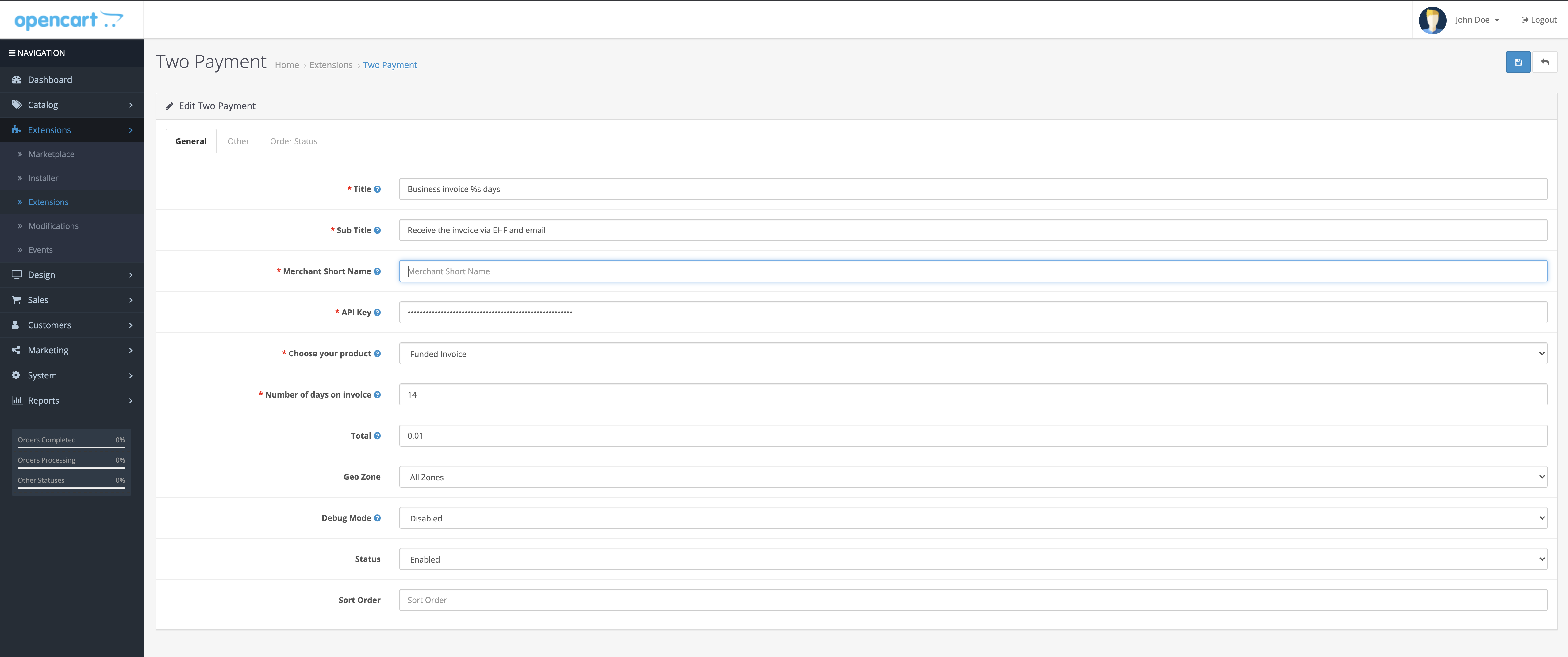
After installation, configure your API credentials:
- Navigate to Extensions → Extensions → Payments
- Find Two and click Edit
- Enter your credentials:
- API Key – Your Two API key
- Merchant ID – Your Two merchant identifier
- Environment – Select Staging or Production
Other Configuration
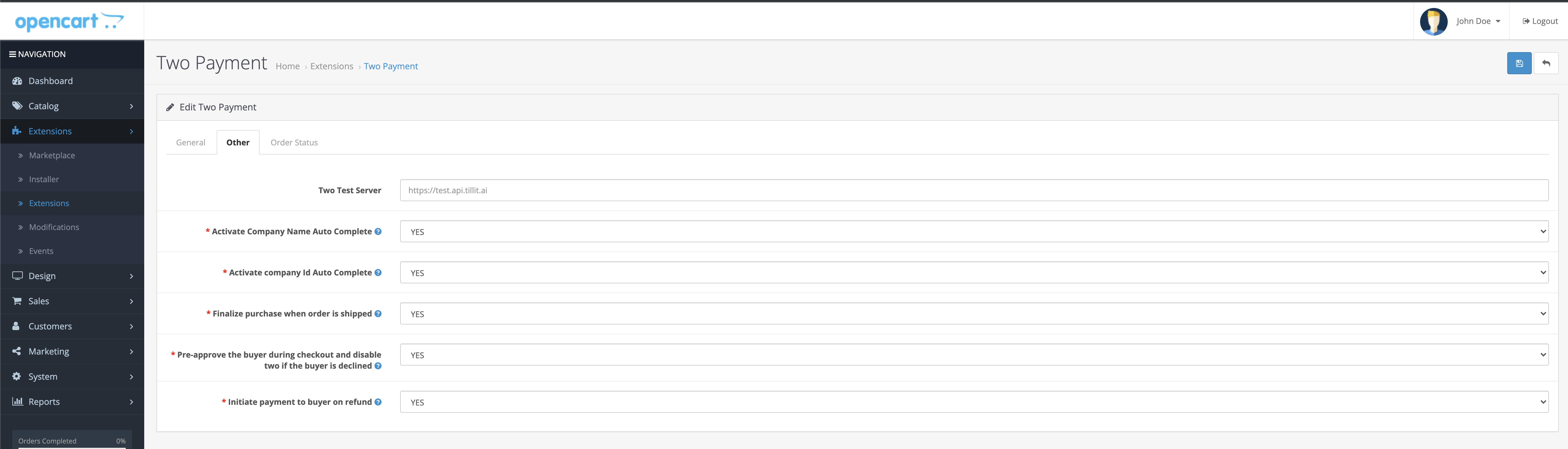
Configure additional settings for your integration:
Order Status Mapping
Map Two order states to your OpenCart order statuses:
| Two State | Recommended OpenCart Status |
|---|---|
| Pending | Pending |
| Approved | Processing |
| Fulfilled | Complete |
| Cancelled | Cancelled |
| Refunded | Refunded |
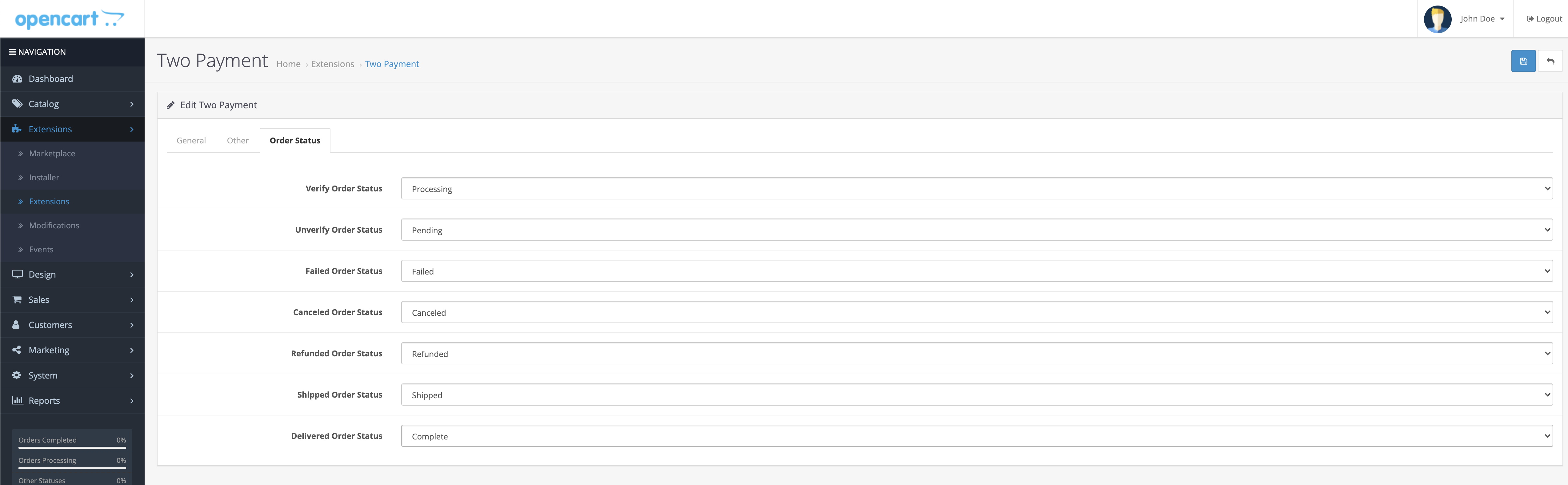
info
Proper order status mapping ensures your OpenCart orders stay synchronised with Two's order lifecycle.
Need Help?
If you have questions or need assistance, please contact our support team.