
PrestaShop Plugin
Integrate Two's B2B payment solution into your PrestaShop store, allowing business customers to pay on invoice with flexible payment terms.
Prerequisites
Before you begin, ensure you have:
- PrestaShop 1.7.x or 8.x installed
- Admin access to your PrestaShop store
- Your Two API credentials
- The
twopayment.zipplugin file from Two
- Sign up at portal.two.inc
- You'll receive an email with your test API keys
- Once ready for production, you'll receive your live API keys
Installation
- Log in to your PrestaShop admin panel
- Navigate to Modules → Module Manager
- Click Upload a Module or Install a Module
- Select the
twopayment.zipfile - Wait for the installation to complete
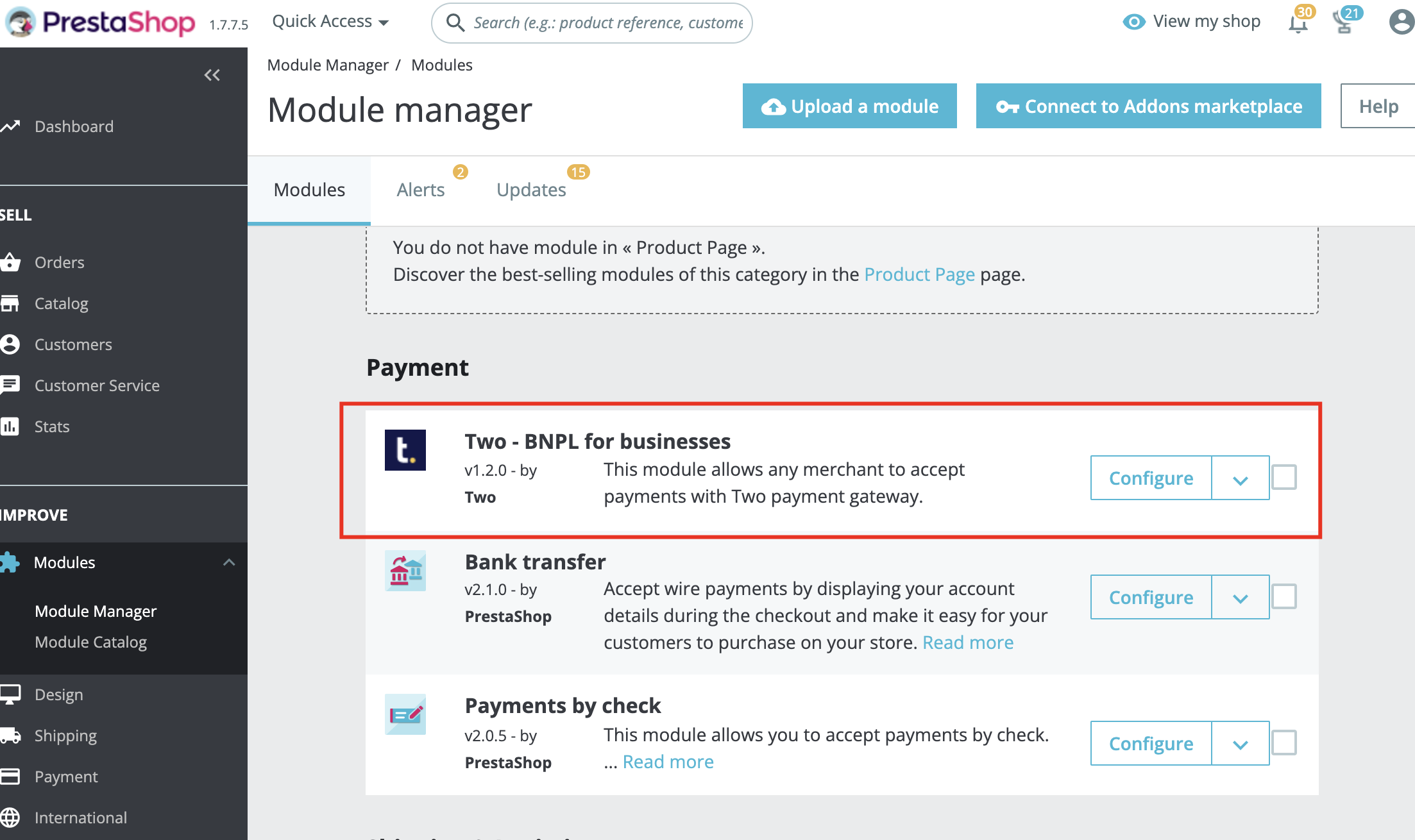
Contact [email protected] to obtain the twopayment.zip plugin file.
Configuration
After installation, configure the module in three sections:
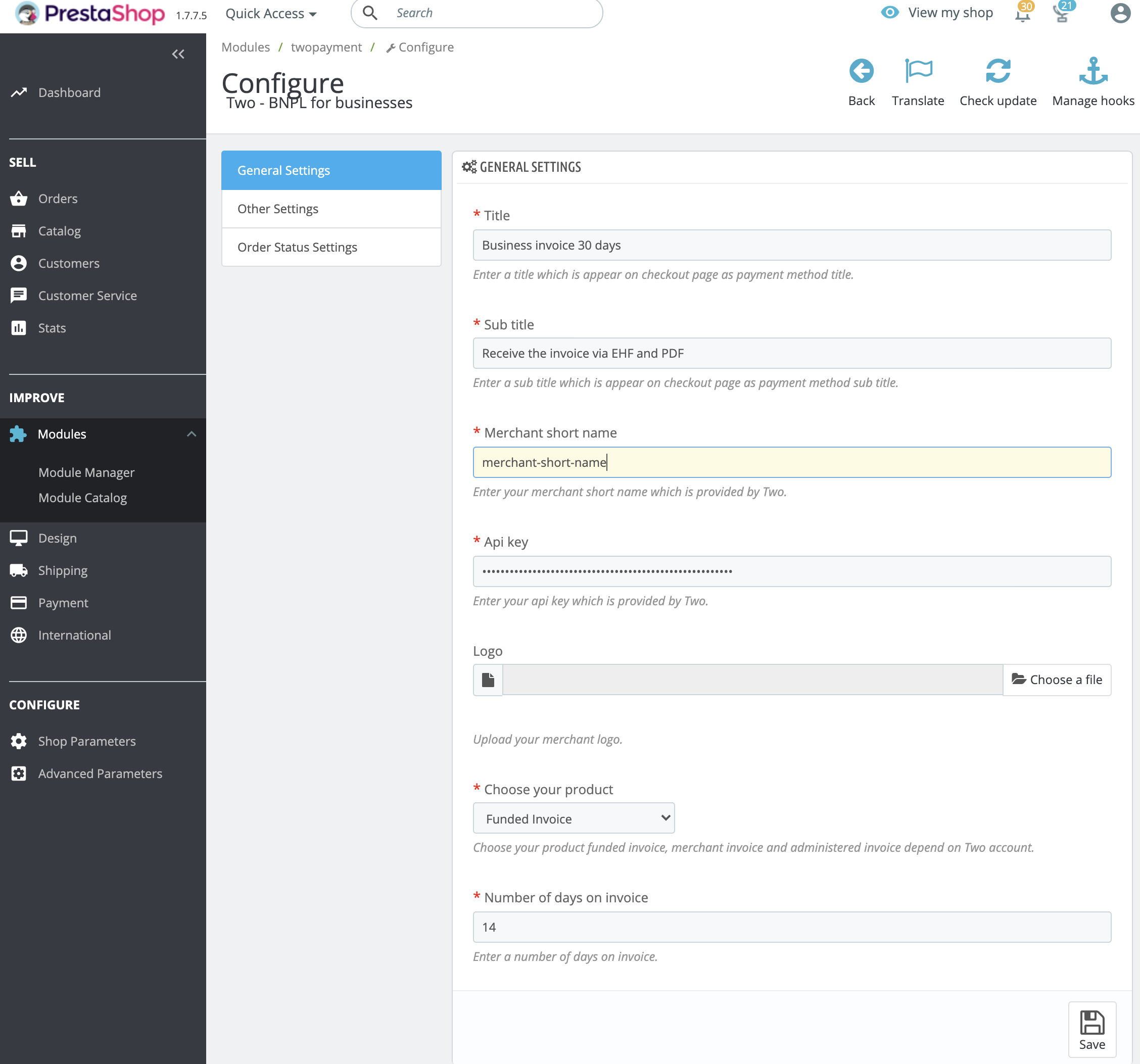
General Settings
| Field | Default | Required | Description |
|---|---|---|---|
| Title | Business Invoice 30 days | Yes | Payment method name shown at checkout |
| Subtitle | Receive the invoice via EHF and PDF | Yes | Description shown at checkout |
| API Key | – | Yes | Your Two API key |
| Logo | – | No | Upload your merchant logo |
| Product Type | Funded Invoice | Yes | Select Funded Invoice, Merchant Invoice, or Administered Invoice |
| Invoice Days | 14 | Yes | Payment term in days |
Other Settings
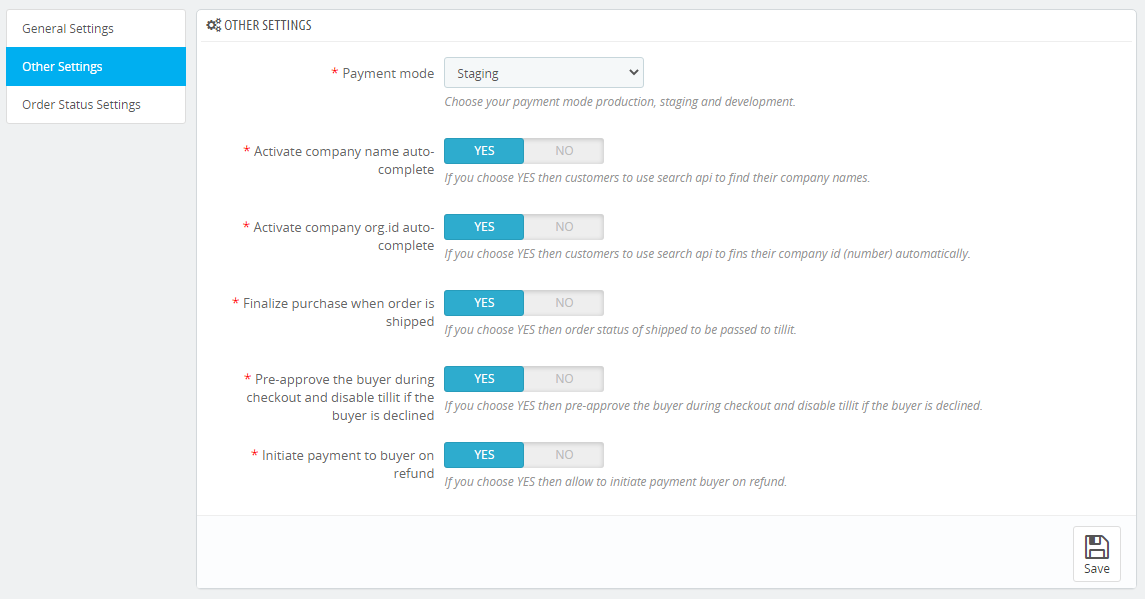
| Field | Default | Description |
|---|---|---|
| Payment Mode | Staging | Select Production, Staging, or Development |
| Company name auto-complete | Yes | Enable search API for company names |
| Organisation ID auto-complete | Yes | Enable search API for organisation numbers |
| Finalize on shipped | Yes | Pass shipped status to Two automatically |
| Pre-approve buyer | Yes | Check buyer eligibility during checkout |
| Initiate refund payment | Yes | Automatically initiate payment to buyer on refund |
Order Status Settings
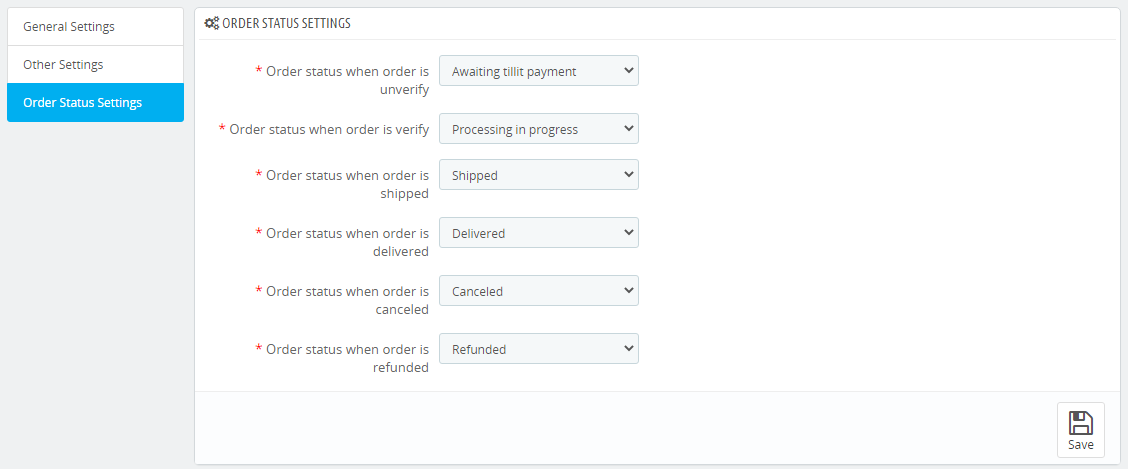
Map Two order states to your PrestaShop order statuses:
| Two State | Default PrestaShop Status |
|---|---|
| Unverified | Awaiting Two payment |
| Verified | Processing in progress |
| Shipped | Shipped |
| Delivered | Delivered |
| Cancelled | Cancelled |
| Refunded | Refunded |
Verification
Frontend (Customer View)
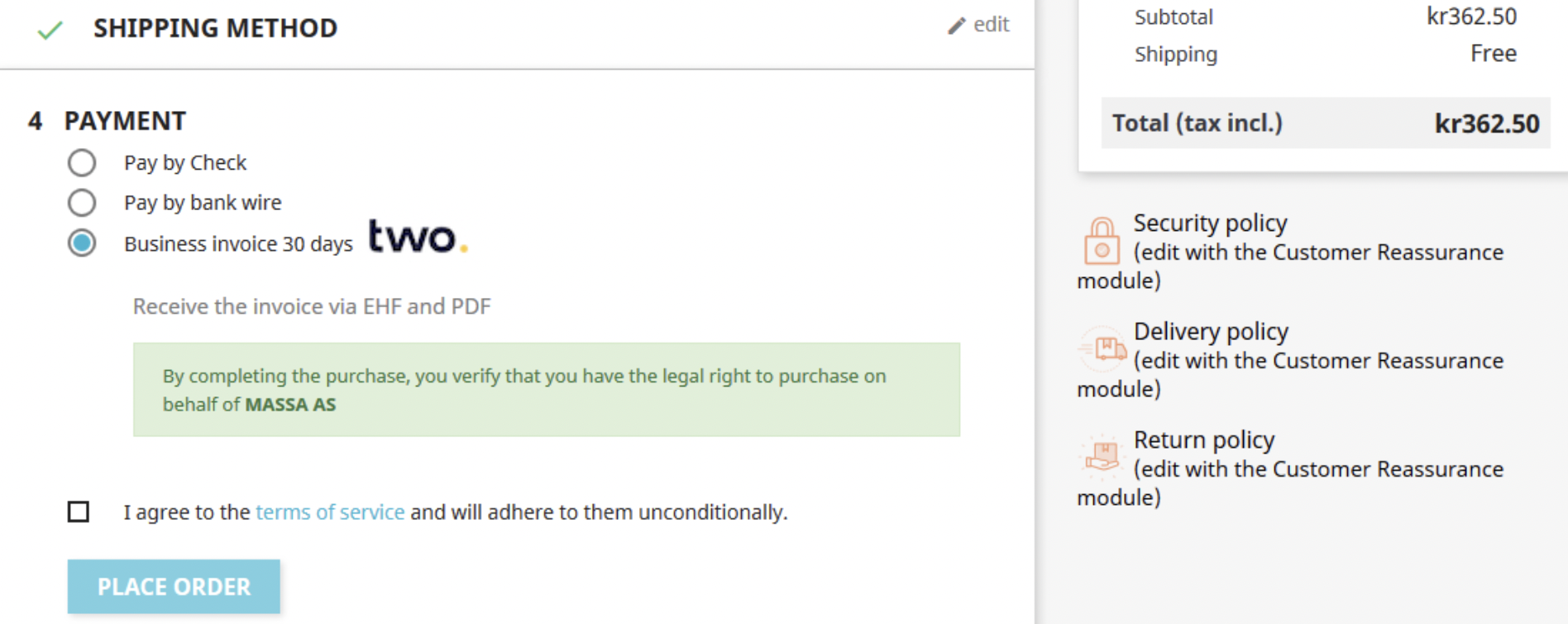
After configuration, customers will see Two as a payment option at checkout.
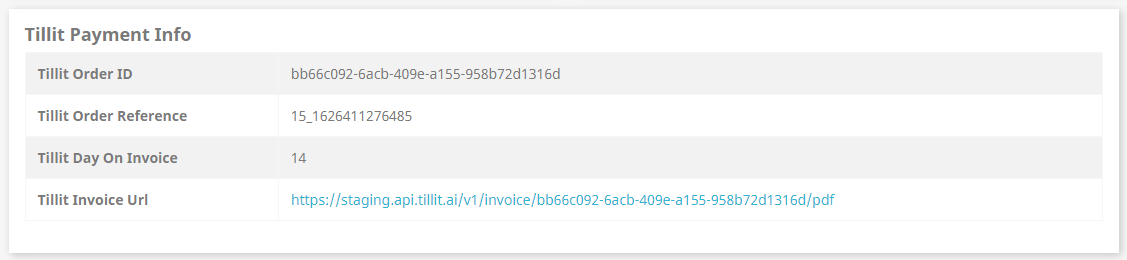
Upon successful order placement, the order confirmation page displays Two payment information.
Backend (Admin View)
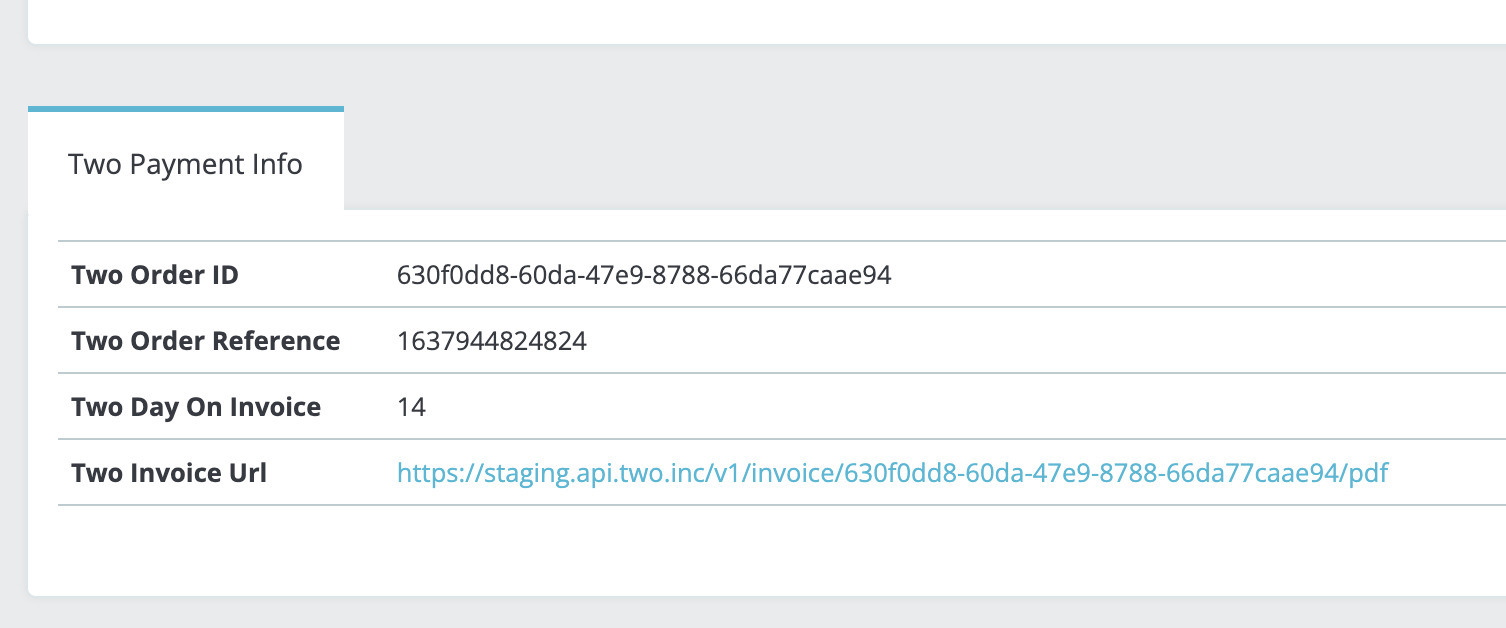
Store administrators can view all Two payment information on the order details page in the admin panel.
Test your integration using staging credentials before going live to ensure everything works correctly.
Need Help?
If you have questions or need assistance, please contact our support team.