
Shopify Plugin
Integrate Two's B2B payment solution into your Shopify store via Mondido, allowing business customers to pay on invoice with flexible payment terms.
Overview
Two's Shopify integration runs through Mondido, a payment gateway on Shopify. This guide walks you through the complete setup process.
Step 1: Sign Up to Two
Create your Two account to get started:
- Sign up at portal.two.inc
- Complete the registration process for your company
- Contact Two to complete onboarding by confirming your agreement and payment terms
Not sure if Two is right for you? Book a demo to see the platform in action.
Step 2: Create Mondido Account
Two's Shopify integration runs on Mondido, a payment gateway:
- Create a Mondido account by following the Mondido getting started guide
- Complete the Mondido onboarding process
- Keep your Mondido credentials handy for the next steps
Step 3: Integrate Mondido into Shopify
Connect Mondido to your Shopify store:
- Follow the Mondido Shopify integration guide
- Complete the step-by-step instructions to connect your accounts
- Verify the integration is working correctly
Step 4: Enable Mondido Checkout Manager
The Mondido Checkout Manager is required for proper invoice display:
- Install the Mondido Checkout Manager app from the Shopify App Store
- This enables fetching of order line items and VAT values for Two invoices
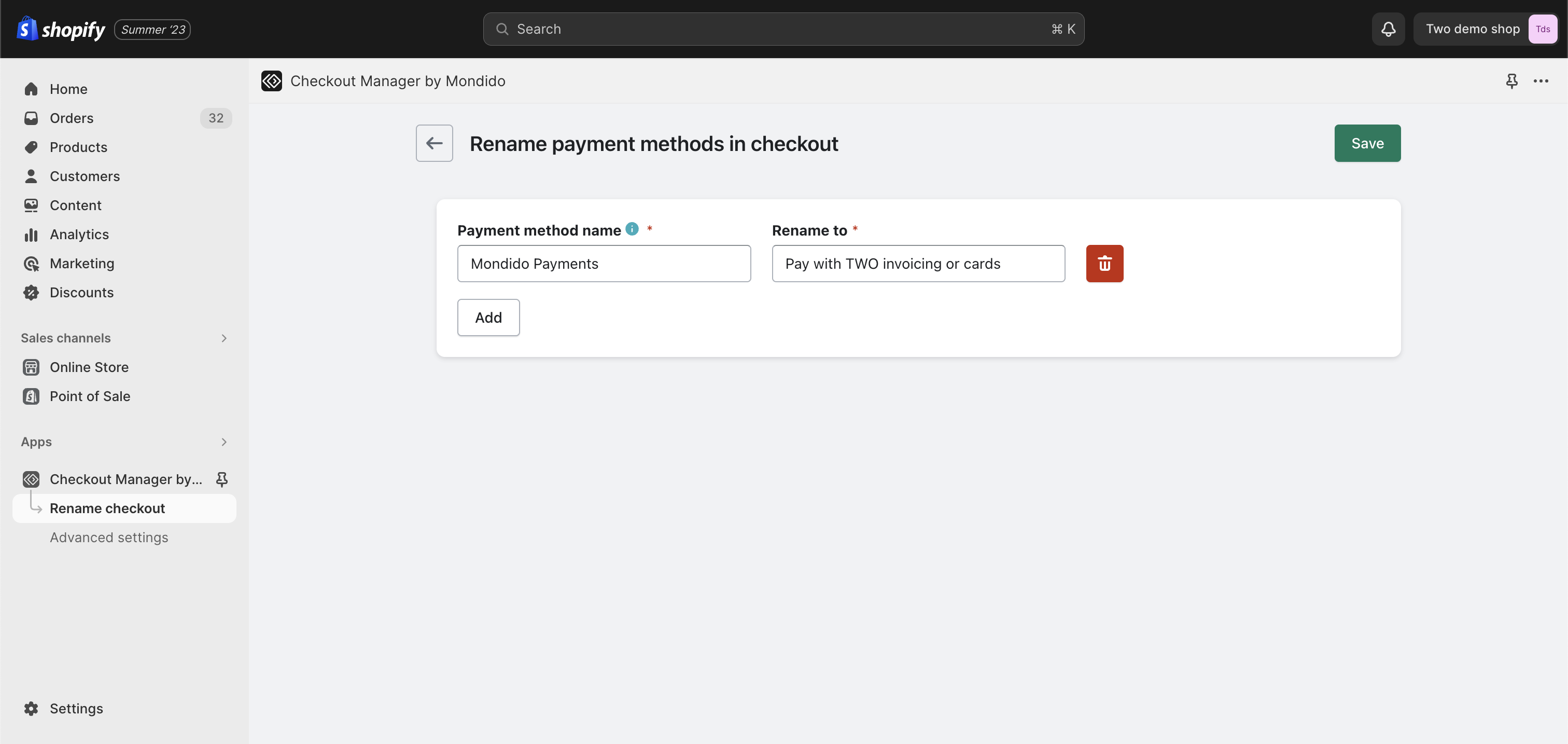
- Customise the payment method name shown at checkout
Rename the Payment Method
You have the flexibility to select a payment plugin name that resonates best with your user base. Be sure to save your modifications once you're satisfied with them.
Enable Order Details for Two
For a complete breakdown of order line items on your Two order invoices, ensure the "Enable order id..." checkbox is ticked and save your settings.
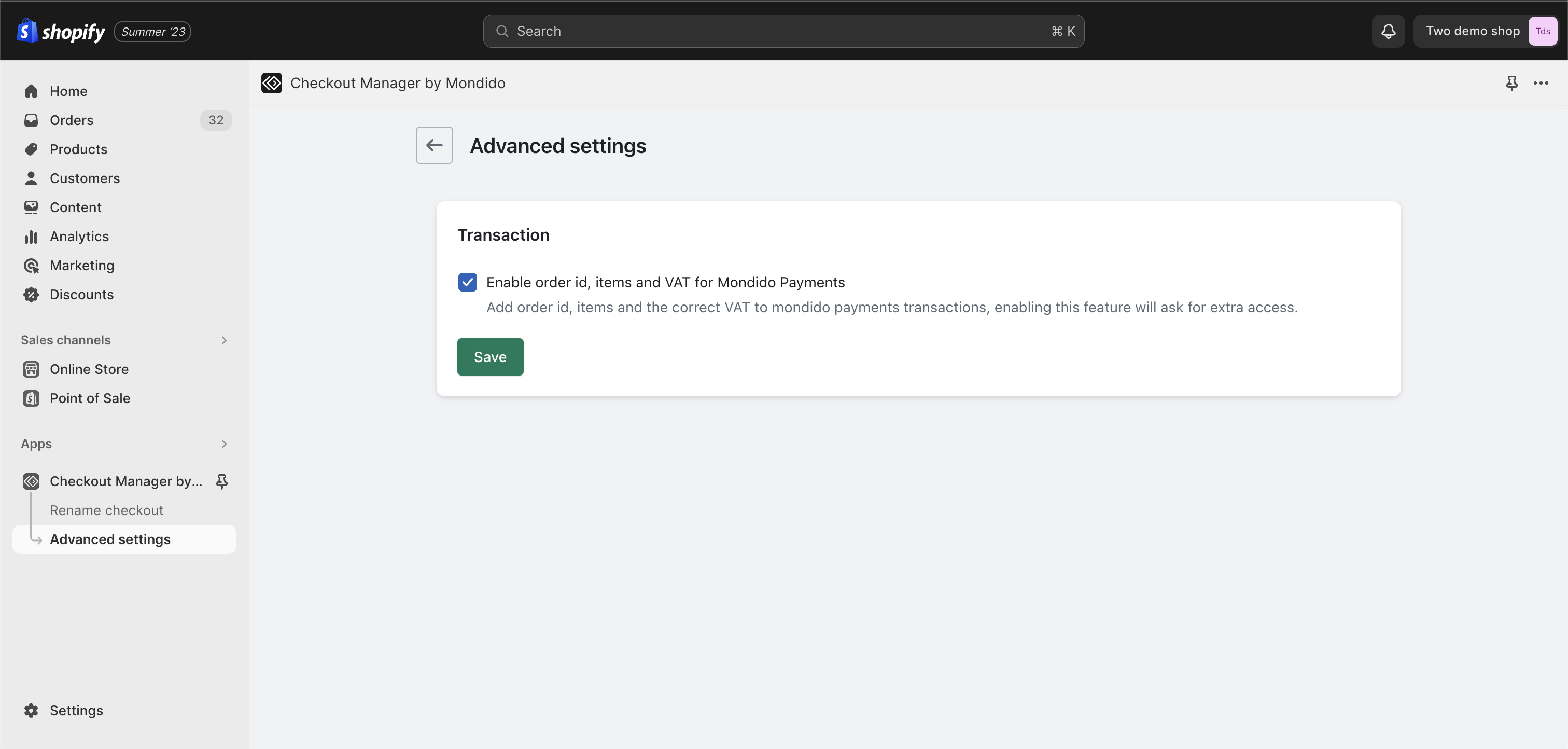
Without this setting, your Two invoices may not display the full order breakdown, which can cause confusion for your B2B customers.
Step 5: Go Live
Once everything is configured:
- Complete your Two onboarding with the Two team
- Verify your integration is working correctly in test mode
- Switch from staging to production credentials
- Your store is now ready to offer Two B2B payments
Our dedicated support team is here to help you every step of the way. Contact us at [email protected].
Quick Reference
| Step | Action | Link |
|---|---|---|
| 1 | Sign up to Two | portal.two.inc |
| 2 | Create Mondido account | Mondido Guide |
| 3 | Integrate Mondido into Shopify | Integration Guide |
| 4 | Install Checkout Manager | Shopify App Store |
| 5 | Go live | Contact Two team |
Need Help?
If you have questions or need assistance, please contact our support team.